Add Default Item Categories
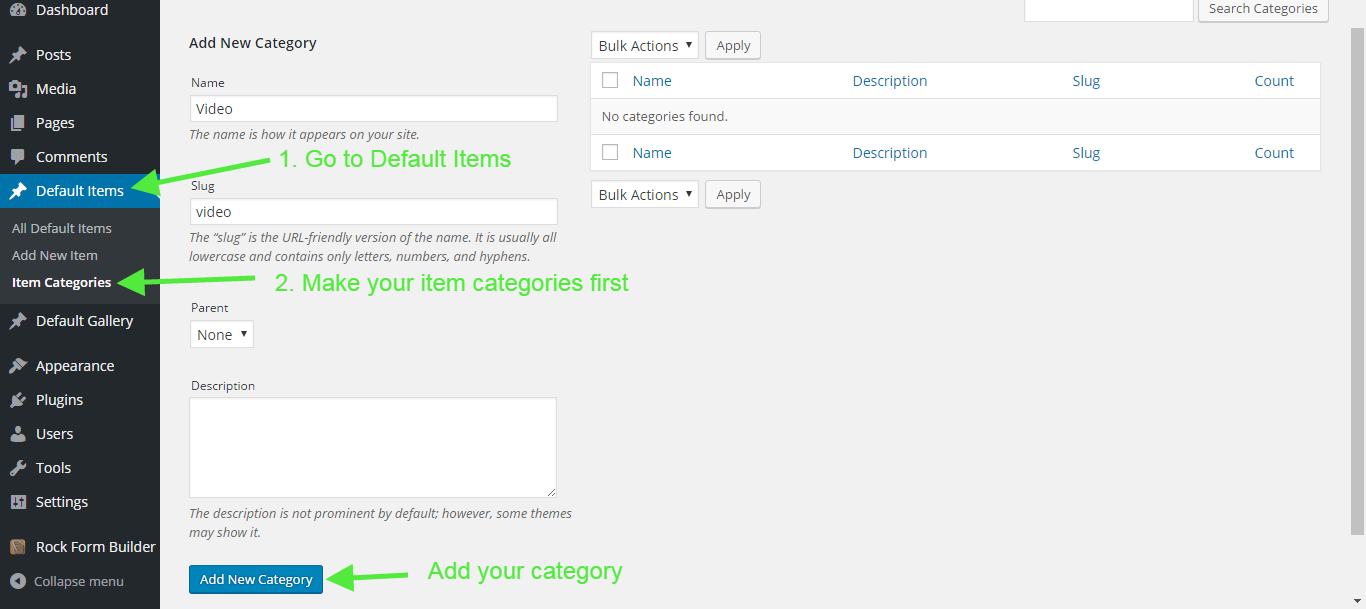
Before adding items, you should add item categories. To do this,
- Login to your Wordpress and go to "Default Items > Item Categories".
- Enter your category name
- Enter your category title
- Click on "Add New Category"
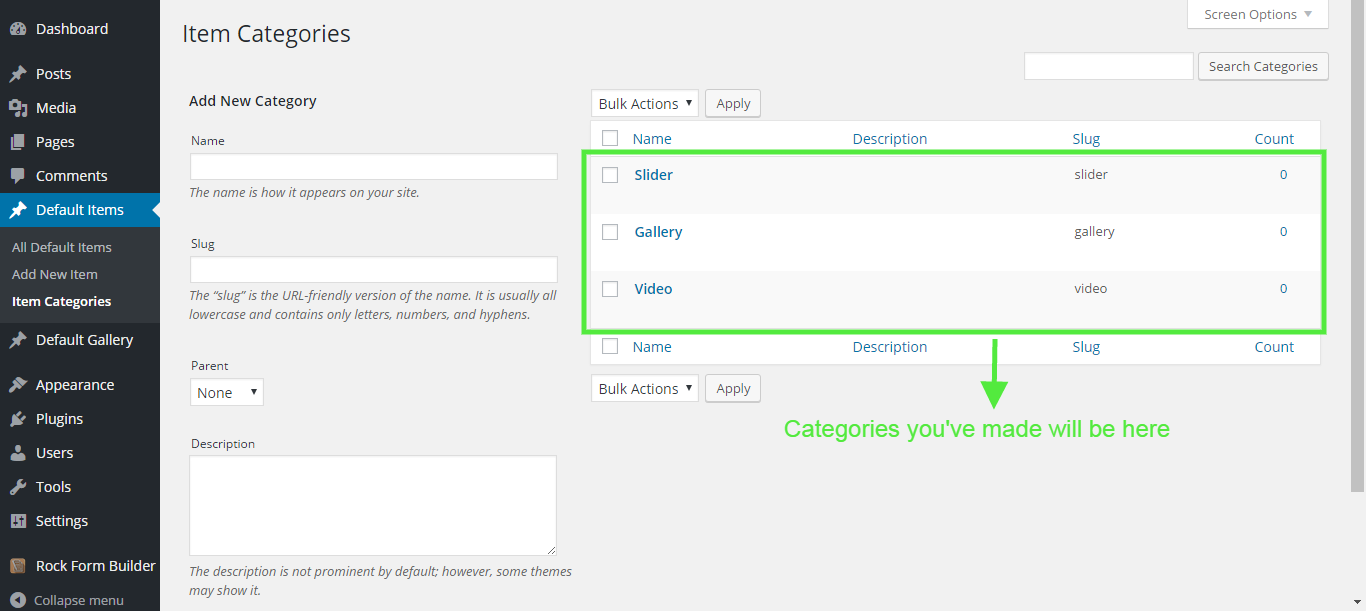
Add Default Items
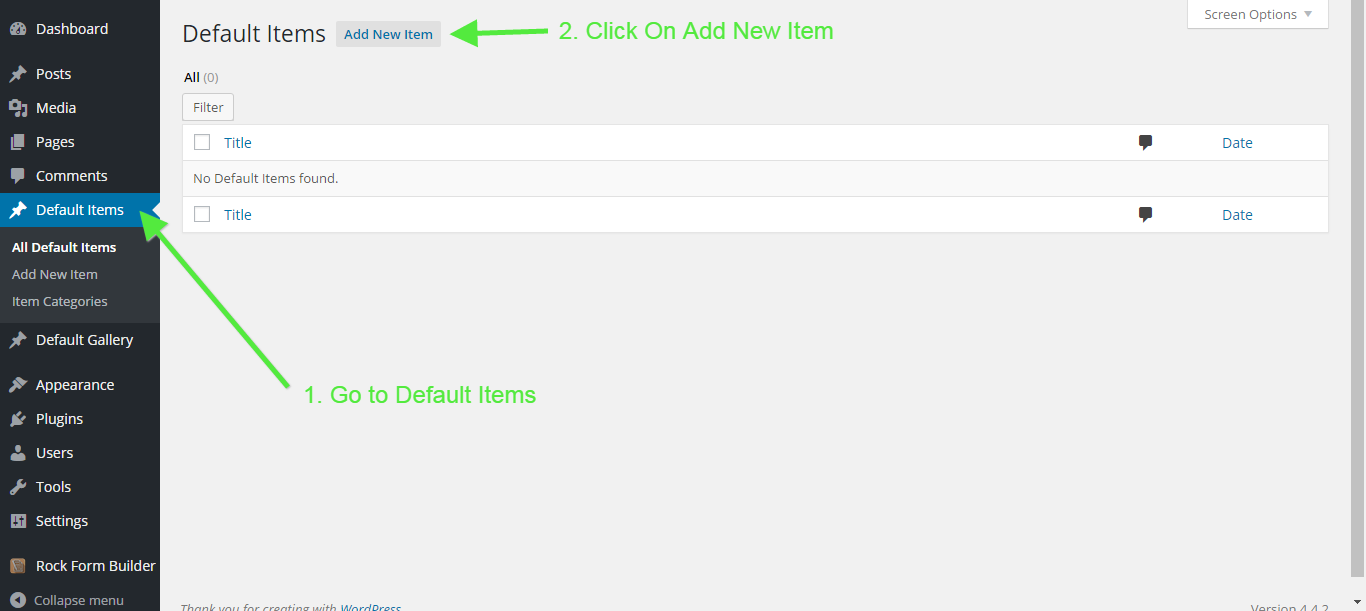
To add a Default Item or any other post type follow these steps;
- Login to your Wordpress and go to "Default Items > Add New".
- Enter your title.
- Enter Your Excerpt
- Set your featured image
- Choose a category (make sure you have selected a category)
- Publish it.
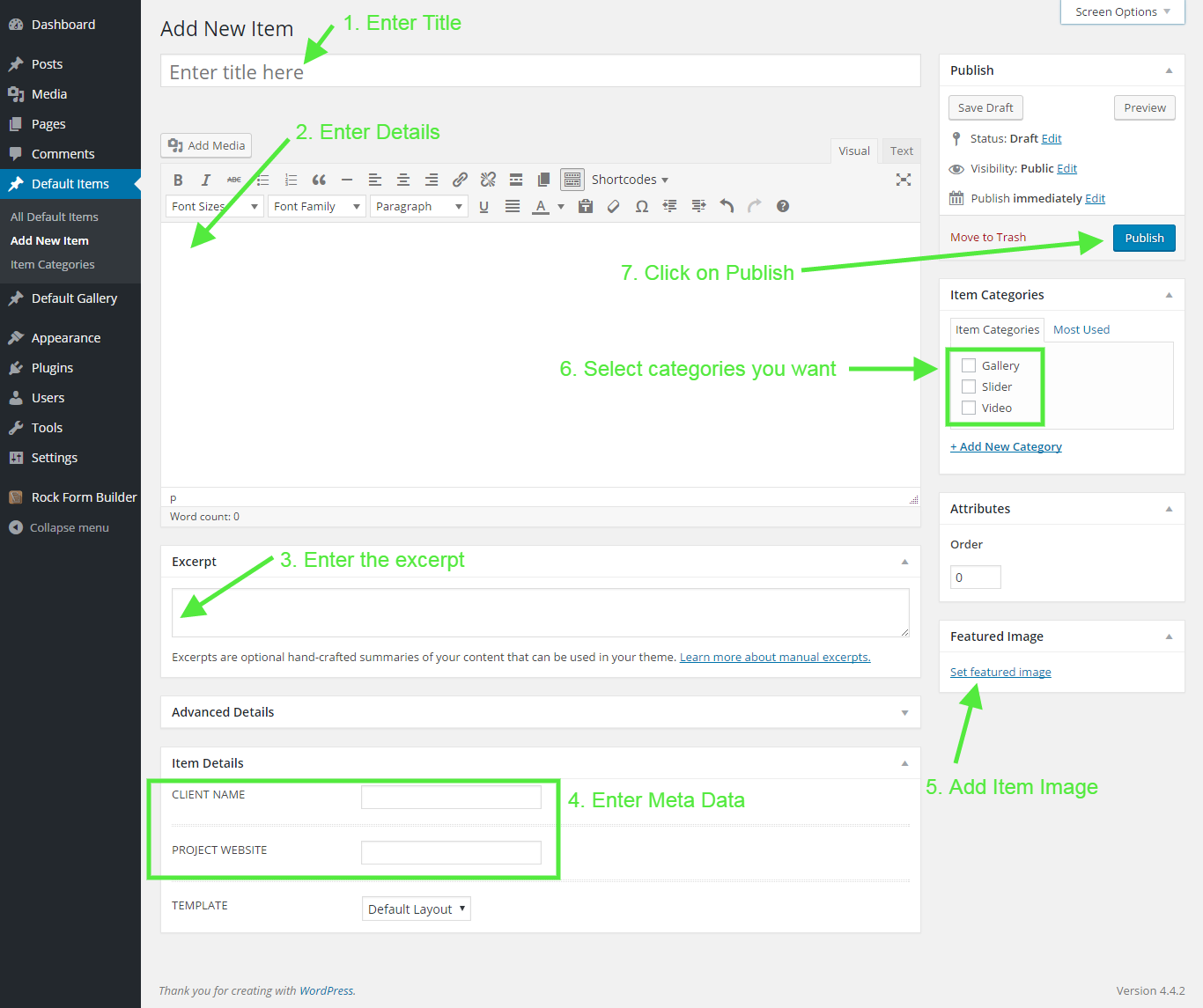
!Attention : If you don't choose a category, you may not be able to see your item in your portfolio correctly. Always make sure you have checked at least one category.